ComfyUI Batch Nodes
Four custom nodes for combinatorial batch generation with prompt traceability.
- Personal tooling
- Experimental
- 2026
- Concept and development
- Solo builder
- Personal tool
- Hours saved in image files management
- Searchable prompt and output history retained for every saved image
- ComfyUI API · Python · PyTorch · JavaScript

Context
The existing batch workflows I found handled flat folders, but not the hierarchical combinations and prompt traceability required by advanced image generation projects. That gap appears when you want variations at volume, a face combined with several outfits, each of those combined with several backdrops. At that point you either wire every permutation manually in the interface, or you write your own nodes.
Constraint
The existing community node packs cover flat batch loading from a folder well. None of them handled the three things I actually needed:
- a combinatorial folder hierarchy defined purely by naming convention: a folder named after its parent image file
- automatic association of a companion
.txtprompt at the deepest level of a combination - an append-only history linking each saved image to its prompt, note and timestamp
That last one matters more than it sounds. ComfyUI writes workflow metadata into the PNG, but that metadata is not reliably readable outside ComfyUI, so "which prompt produced this image" becomes unanswerable exactly when you need it, months later, outside the tool.
What I made
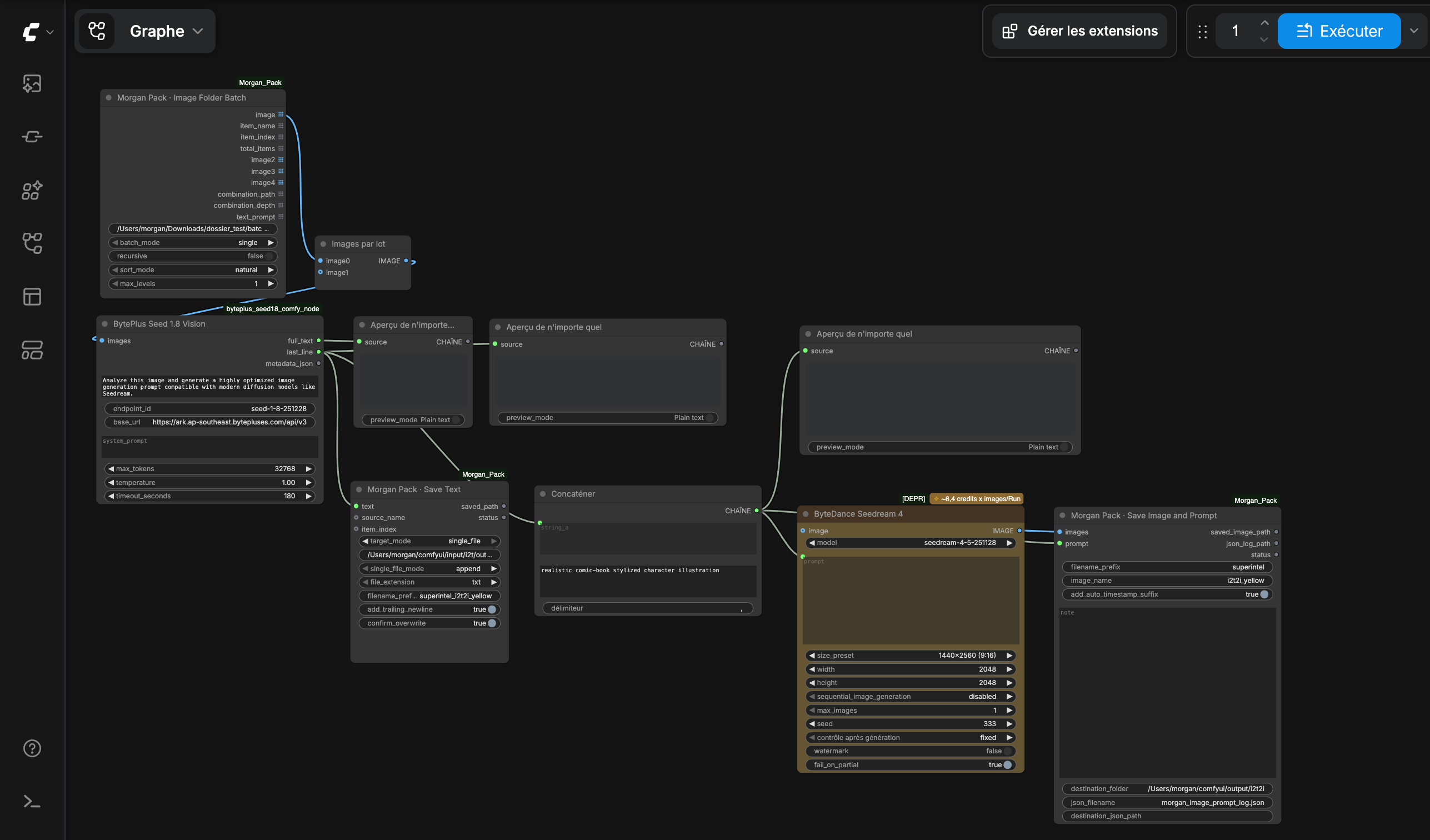
Four nodes. The convention is that a subfolder carries the exact name, without extension, of the image it belongs to:
- face-a/outfit-1.png, face-a/outfit-1/background-x.png
From that, the pack derives every valid combination, such as face-a + outfit-1 + background-x and face-a + outfit-2, up to four levels, with no manual wiring.
- Loads every text file in a folder, whole-file or line-by-line, with automatic prompt extraction from JSON.
- Flat list, or the combinatorial hierarchy above, emitting the combination path and depth alongside each image.
- Writes text to disk, one file per item or a single appended file, named from the source.
- Like the native save node, but embeds the prompt in PNG metadata and journals every save to a JSON history.
Key decisions
Convention over configuration
The hierarchy is expressed by folder naming, not by a config file or a UI for defining combinations. Reorganising a shoot means moving folders in Finder, which is where that thinking actually happens.
Emit a list, let ComfyUI iterate
Using the framework's list-output mechanism turns a folder of N items into N sequential executions of the rest of the workflow, rather than reimplementing batching inside the node. Change detection hashes file modification times and sizes, so editing a folder's contents invalidates the cache even though the path itself never changed.
Current limitations
- designed around one folder convention;
- desktop-specific folder picker;
- not yet packaged for public distribution;
- tests required before release.
Limitations and next steps
Decide whether to generalise the naming convention into something configurable and release it properly, or keep it as personal infrastructure. The combinatorial loader is the reusable idea, while the rest is scaffolding around my own workflow.
Additionally, as an official ComfyUI MCP has been released on July 2026, those custom nodes could be improved to farther improve the batch image generation, especially in leveraging agent skills.