KCX Marketing Layout System
A layout engine turns live product data into compliant, print-ready documents.
- Internal product
- In production
- 2025 to 2026
- Product definition, architecture, design and full-stack development
- Solo builder with marketing, sales, quality and product-data stakeholders
- Built as part of my role at KCX by GETRAC
- 95% of labels generated automatically, covering nearly 2,500 label references
- 40 labels generated per week on average, meaning more than 40 hours of work saved each week
- From 1 to 2 hours of manual work and quality loops to around 30 seconds per label
- Figma · Node.js · Puppeteer · Cloud Run · Nunjucks · Next.js · Electron · PostgreSQL

Context
KCX is an umbrella brand covering several businesses, including GETRAC, SODIMAC and SCE, selling car-care, detailing and vehicle-electrical products. Roughly 2,600 SKUs across eleven product families need technical datasheets, regulation-compliant hazard labels and promotional documents. All of it used to be produced by a marketing team, by hand, in InDesign.
The product data already existed and was well-managed. A PIM holds the source of truth, and a DAM holds the assets. The gap was not data quality. It was that every time a field changed in the PIM, someone had to find the affected documents and rebuild them manually which meant that documents drifted out of sync with the data they were supposed to describe.
In addition, the product suppliers often have many last-time feedbacks on some compliance sentences to add or remove on the labels. That's a lot of back-and-forth.
I am the sole product designer and developer, working with direction, marketing, sales, the HSE manager, suppliers, printers and the PIM provider when needed. The quality/HSE manager validates the regulatory output, and the HSE team generates and approves the labels.
Constraint
A hazard label is not a web page. It cannot scroll and it cannot reflow past a fixed physical size. Three constraint systems compete for the same square millimetre of paper, and each one is non-negotiable for a different reason.
- EU CLP law sets a minimum physical size for GHS hazard pictograms, scaled to the container's volume tier. Getting it wrong is a compliance failure, not a design nitpick.
- Every label still carries the right brand block, the family colour coding, the tagline and the barcode, regardless of how much space the pictograms just consumed.
- The label does not grow. A small chemical bottle has a fraction of the surface of a drum label, and five-plus content blocks have to coexist on both.
The real work was not rendering a PDF. It was encoding that arbitration as code, so it runs per product and per format every time a PIM field changes.
What I made
A shared product-data layer feeds a rendering pipeline that produces the documents the marketing and quality teams need.
Product data enters from the PIM, is normalised by the typed SDK and mapper layer, then flows into one document engine for compliant print output.
The document engine
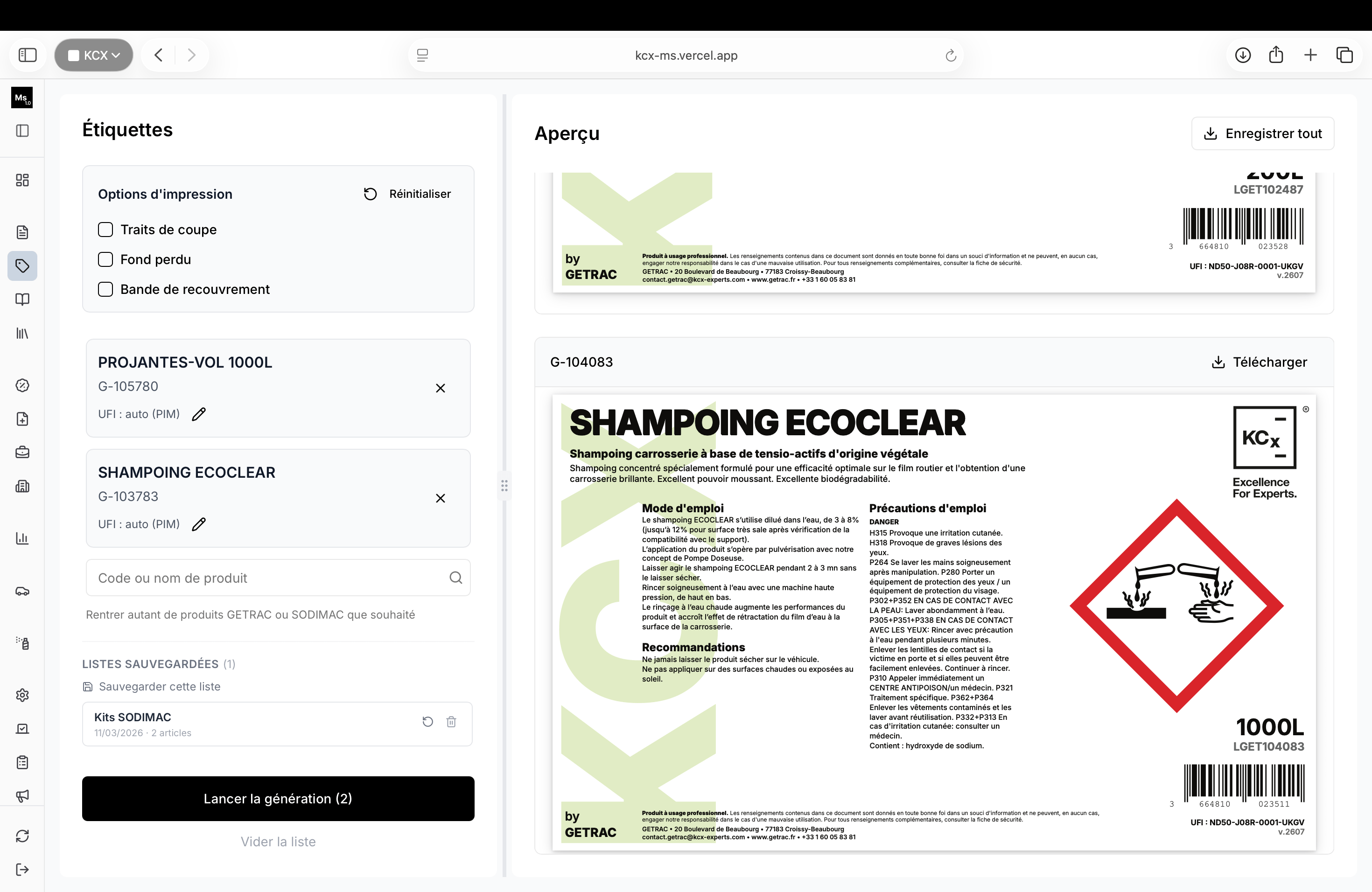
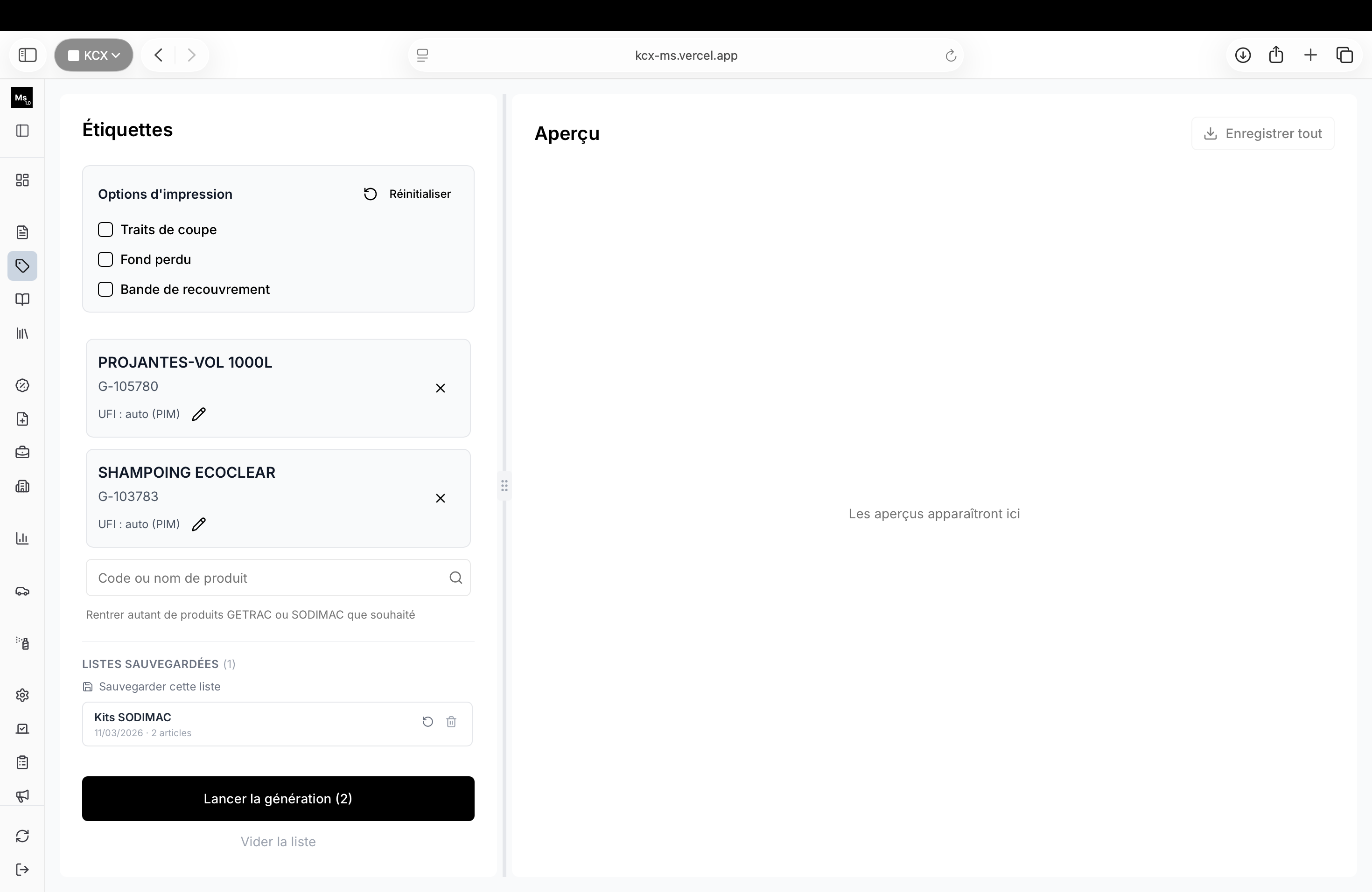
A rendering pipeline that pulls product data live from the PIM and produces print-ready PDFs: technical datasheets, hazard labels and promotional documents. Templates are authored in HTML and CSS, rendered through headless Chrome, then colour-converted for press.
The pictogram sizing table is the clearest artefact of the constraint work. A GHS
pictogram is a diamond, but the image asset is a square bounding box rotated 45 degrees, so the
dimension the regulation actually cares about, the diamond's side length, has to be
derived as bounding_box / √2, with a per-tier manufacturing margin added on top of the
legal minimum to absorb print tolerance.
Aerosols needed their own intermediate size tier, a rule that exists only because aerosol labels have a different aspect ratio to bottle labels. That one was discovered by testing real layouts, not by reading the regulation.
Key decisions
HTML and CSS as the print layout language, not a PDF library
A dedicated PDF library gives precise control but makes iteration slow and locks template authoring to a developer. Laying documents out in HTML and CSS means the same skill set expresses both screen and print, and a template change is a CSS change. The cost is that headless Chrome is heavy and occasionally crashes, paid for with a concurrency limit, a bounded queue and an automatic relaunch on crash.
Cache the index, never the product
Only the cheap, rarely-changing code-to-identifier index is cached. The product record itself is fetched live on every single generation. A datasheet built from stale data is a compliance risk, and no amount of latency saved is worth that.
Brand and legal footer resolved independently
Which brand a product displays as, and which entity's contact details appear in the footer, come from the same PIM record but are computed separately. They look like one decision and are actually two, so a marketing rebrand can never silently break the legal footer.
One layout model, several document families
Technical sheets, hazard labels and promotional documents share the same product data and rendering primitives, while each family keeps its own physical constraints. That keeps the system consistent without forcing every format into one generic template.
Impact
Documents are now generated from the PIM rather than rebuilt by hand. About 95% of labels work automatically, covering nearly 2,500 label references, with around 40 labels generated per week on average. A task that used to take 1 to 2 hours of manual work, quality loops, returns and blockers now takes around 30 seconds per label. The output goes directly to the quality/QHSE team, removing the marketing, desktop publishing and quality round trips.
The drift problem, documents describing a product that has since changed, is structurally gone rather than managed. Two independent triggers feed the same pipeline: an operator entering a product code in the backoffice, and an automated webhook batch. The compliance and brand logic exists once, in the mapper layer, so neither path can diverge from the other.
Limitations and next steps
The next step is to extend the layout library to the remaining document families while keeping regulation checks and print validation visible in the generation workflow.